Forward SMS Logo

SMS to Email
Forward text messages to your inbox — straight from iPhone.

Automatically route incoming SMS to Gmail, Outlook, Yahoo Mail, iCloud Mail, or any inbox. Runs on your iPhone using iOS Shortcuts, then sends through your configured email account. No second phone number required.


Download Forward SMS App for iPhone
★★★★★
★★★★★
4.5/5 (485 Reviews)
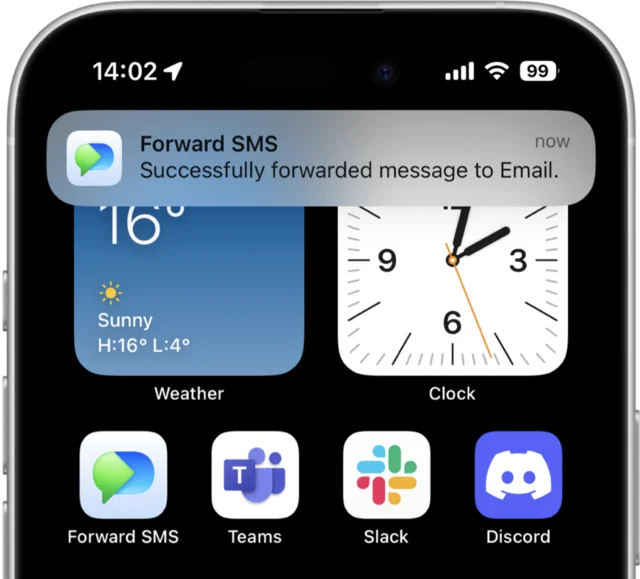
Forward SMS iPhone app screenshot showing SMS to email forwarding

TRUSTED BY 10,000+ USERS AROUND THE WORLD

Airbnb Logo Amazon Logo DHL Logo USPS Logo

What is SMS to Email Forwarding?

SMS to email forwarding automatically delivers your incoming text messages to an email inbox the moment they arrive. With Forward SMS on iPhone, you can route an OTP code to your work email, send delivery alerts to a shared team inbox, or archive every text into Gmail for search. Each forwarded text becomes a normal email — searchable, filterable, and routable through your existing email rules.

How SMS to Email Forwarding Works

1

Download Forward SMS

Install Forward SMS from the App Store and add your email destination — Gmail, Outlook, Yahoo, iCloud, or any SMTP inbox.

2

Set up a Shortcuts automation

Open iOS Shortcuts → Automation → Message trigger. Filter by keyword or sender if you only want specific texts.

3

Add the Send Email action

Insert the Forward SMS action followed by Send Email. Save the automation and every matching text will land in your inbox automatically.

Step-by-step setup guide → Forward SMS to Gmail → iPhone setup basics →

Works with every inbox you already use

Forward SMS sends through your existing email account using a Send Email action. You don't need a separate SMTP server, an API key, or a SaaS relay — just authorize the iOS Mail account once and the iPhone takes care of the rest.

Gmail

Personal & Workspace

Outlook

Microsoft 365 & Hotmail

Yahoo Mail

Personal accounts

iCloud Mail

@me & @icloud

Any IMAP / SMTP

ProtonMail, Fastmail, custom

What teams forward to email

SMS-to-email forwarding is most useful where the inbox is the source of truth — finance, ops, support, and shared accounts.

OTP & 2FA codes

Share verification codes for shared work accounts (Stripe, AWS, banking) without sharing the phone. Codes arrive in the right inbox, in seconds, with timestamps preserved.

Payment confirmations

Send bank SMS receipts to a finance@ inbox for automated bookkeeping. Pair with a Gmail filter that posts straight into your accounting tool.

Delivery & appointment notifications

Route carrier SMS (DHL, USPS, doctor reminders) into an inbox your assistant or operations team monitors instead of relying on one phone.

Customer SMS routing

Forward inbound customer text messages to a shared support@ inbox so the next available teammate can respond — same channel, full context.

Personal archival & search

Pipe every incoming text into Gmail to make your SMS history searchable next to your email. Useful for receipts, codes, and travel updates.

Backup phone replacement

Keep your iPhone as the source-of-truth SIM while reading texts in your laptop inbox — no Mac Continuity, no Apple ID coupling, no shared iCloud needed.

Where Forward SMS is honestly the wrong choice

We'd rather you pick the right tool than be disappointed. Here's where Forward SMS is the wrong fit and what to use instead.

You're on Android.

Forward SMS is iPhone-only because the whole automation runs on iOS Shortcuts. If your source phone is Android, use AutoForward SMS or a similar Android-side app. We will not pretend to support Android.

You need a second phone number for incoming SMS.

Forward SMS forwards messages from your existing iPhone number — it does not issue a new number. If you need a fresh number, use Twilio, Sideline, or Burner.

You want email-to-SMS (the reverse direction).

Forward SMS handles SMS → email, not email → SMS. If you need to send an email that gets delivered as a text, use a carrier's email-to-SMS gateway (e.g. Verizon's vtext.com) or a service like Twilio's Messaging API.

You need messages to keep arriving when the iPhone is off.

Because forwarding starts on the iPhone itself, the phone has to be powered on and connected. If the device is off, no SMS gets forwarded. Email delivery uses your configured mail account.

You want a hosted inbox or auto-reply on the forwarding service itself.

Forward SMS delivers texts to your existing inbox; it doesn't run a hosted dashboard or auto-reply on our side. If you need either, AutoForward Text has both on their Professional plan — we have an honest side-by-side comparison for the rest of the trade-offs.

SMS to email — frequently asked questions

Forward SMS Icon

Forward SMS

Auto-forward text messages to Email, Slack, Teams and Discord

Download on the App Store