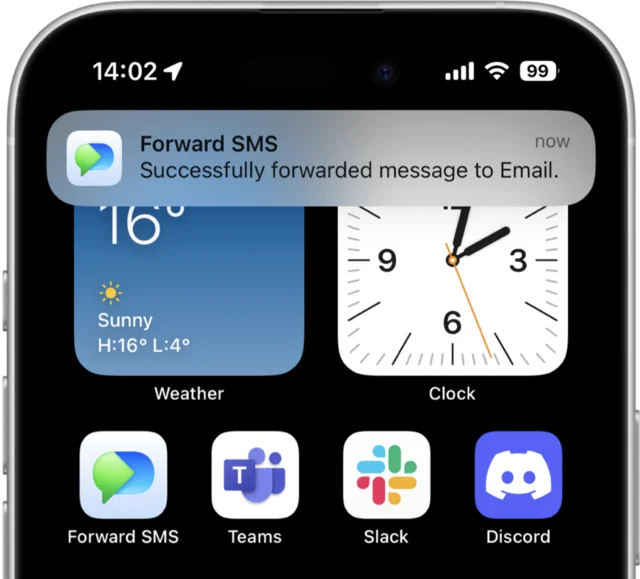
Automatically route incoming SMS to any WhatsApp contact or group. Setup uses iOS Shortcuts on your iPhone and WhatsApp's native messaging action. No WhatsApp Business API or Twilio setup required.

TRUSTED BY 10,000+ USERS AROUND THE WORLD

SMS to WhatsApp forwarding automatically routes your incoming text messages into a WhatsApp chat the moment they arrive. With Forward SMS on iPhone, you can pipe an OTP code into a family WhatsApp group, route bank SMS alerts to your personal chat for searchability, or consolidate carrier delivery messages into the one app you already live in. Each forwarded SMS becomes a normal WhatsApp message — searchable, shareable, and visible across all your WhatsApp-linked devices.
Install Forward SMS from the App Store on the iPhone receiving the texts you want forwarded. Make sure WhatsApp is installed on the same iPhone.
Open iOS Shortcuts → Automation → Message trigger. Filter by keyword or sender if you only want specific texts forwarded.
Insert the Forward SMS action, then WhatsApp's Send Message action. Pick a contact or group as the recipient. Save and every matching text lands in WhatsApp.
Forward SMS uses WhatsApp's native iOS Shortcuts action — supported on every WhatsApp account, free and personal. No business API, no developer account, no Twilio integration to wire up.
Direct contacts
1:1 WhatsApp chats
Group chats
Family, team, or friends
Self-chat ("You")
Personal archival
Multiple recipients
Chain several actions
Linked devices
Read on iPad & web
SMS-to-WhatsApp pays back hardest in personal and family settings — the cases where WhatsApp is already your default messenger and SMS is just where the critical alerts happen to land.
When you're abroad on WiFi-only, incoming SMS may not deliver or may charge roaming fees. Forwarding SMS to your WhatsApp chat means the message arrives over WiFi without paying carrier fees.
Route bank or service verification codes into a family WhatsApp group so the right person can grab the code without you having to read it out loud. Especially useful for shared accounts (streaming, shopping, banking).
Forward critical alerts from a parent's iPhone (pharmacy reminders, bank fraud alerts, doctor appointment confirmations) into the family WhatsApp so caregivers can stay ahead without sharing the phone.
Pipe DHL, USPS, and FedEx SMS confirmations into a personal WhatsApp self-chat. Searchable, scrollable, and visible across all your WhatsApp-linked devices.
If you carry two SIMs or use a second phone for travel/work, forward both into one WhatsApp chat so you can read everything from your primary device — no app-switching, no missing the secondary phone.
For solo founders, MSPs, and small teams that already coordinate in WhatsApp, route inbound customer texts into a shared group so the next available teammate can respond. Same channel everyone's already using.
We'd rather you pick the right tool than be disappointed. Here's where Forward SMS is the wrong fit and what to use instead.
You're on Android.
Forward SMS is iPhone-only because the entire automation runs on iOS Shortcuts. If your source phone is Android, use AutoForward SMS or a similar Android-side app to post into WhatsApp. We will not pretend to support Android.
You need WhatsApp Business API integration for commercial outbound.
Forward SMS uses your personal WhatsApp on the iPhone — not the WhatsApp Business API. If you need template messages, opt-in handling, official Business Profile branding, or a Twilio-style outbound system, use Twilio's WhatsApp Business API or a service like Wati. Forward SMS is for routing SMS into your own WhatsApp, not for sending business-grade outbound at scale.
You want to reply in WhatsApp and have the reply sent back as SMS.
Forward SMS is one-way: SMS → WhatsApp. Replies you type in the WhatsApp chat stay in WhatsApp — they don't get sent as SMS back to the original sender. If you need a two-way bridge, look at Twilio + a custom WhatsApp Business integration.
You need messages to arrive when the iPhone is off.
Because forwarding starts on the iPhone itself, the device has to be powered on and connected to deliver to WhatsApp. If it's off, no SMS gets posted. WhatsApp delivery uses WhatsApp's service.
Auto-forward text messages to Email, Slack, Teams and Discord